Для входа в режим конфигурирования нужно набрать команду _cmdline-mode on, и ввести заводской пароль 512900.
_cmdline-mode on
All commands can be displayed and executed. Continue? [Y/N]y
Please input password:******
Warning: Now you enter an all-command mode for developer's testing, some commands may affect

operation
by wrong use, please carefully use it with our engineer's direction.
Список доступных команд:
[HP]?
System view commands:
  aaa                      Specify AAA configuration
  acl                      Specify acl configuration information
  archive                  Specify archive settings
  arp                      Specify ARP configuration information
  bootrom-update           bootrom update
  burst-mode               Specify burst mode
  cfd                      Connectivity fault detection (IEEE 802.1ag)
  clock                    Specify the system clock
  cluster                  Specify cluster configuration information
  command-alias            Specify command alias
  command-privilege        Specify the command level
  configuration            Specify configuration settings
  copyright-info           Copyright information configuration
  cut                      Cut connection
  delete                   Delete function
  dhcp                     DHCP configuration subcommands
  dhcp-snooping            DHCP Snooping
  display                  Display current system information
  dldp                     Specify configuration information of DLDP
  dns                      Specify domain name system
  domain                   Add domain or modify domain attributes
  dot1x                    Specify 802.1X configuration information
  execute                  Batch Command
  file                     Specify file system configuration information
  fips                     Federal Information Processing Standards (FIPS)
                           140-2 module
  ftp                      Specify FTP configuration information
  garp                     Generic Attribute Registration Protocol
  gratuitous-arp-learning  Gratuitous Arp learning function
  gratuitous-arp-sending   Sending gratuitous-arp packet when receiving
                           different sub-network arp packet function
  gvrp                     GARP VLAN Registration Protocol
  habp                     Specify HABP configuration information
  header                   Specify the login banner
  hotkey                   Specify hotkey configuration information
  hwtacacs                 Specify HWTACACS server
  igmp-snooping            IGMP snooping
  ike                      Specify IKE(Internet Key Exchange) configuration
                           information
  info-center              Specify information center configuration information
  interface                Specify the interface configuration view
  ip                       Specify IP configurations for the system
  ipsec                    Specify IPSec(IP Security) configuration information
  ipv6                     Enable IPv6 functionality
  job                      Schedule a system task
  jumboframe               Jumboframe command
  lacp                     Configure LACP Protocol
  link-aggregation         Specify link aggregation group configuration
                           information
  lldp                     Link Layer Discovery Protocol(802.1ab)
  local-user               Specify local user configuration information
  logfile                  Specify log file configuration
  loopback-detection       Detect if loopback exists
  mac-address              Configure MAC address
  mac-authentication       Specify Mac-auth configuration information
  mac-vlan                 Specify the MAC VLAN configuration information
  mirroring-group          Specify mirroring-group
  mld-snooping             Enter mld-snooping view
  monitor-link             Configure monitor link
  multicast-vlan           Multicast VLAN
  ndp                      Neighbor discovery protocol
  nqa                      Specify NQA (Network Quality Analyzer) configuration
                           information
  ntdp                     Specify NTDP configuration information
  ntp-service              Specify NTP(Network Time Protocol) configuration
                           information
  oam                      OAM protocol
  password-control         Specify password control
  password-recovery        Password recovery function
  patch                    Specify patch configuration information
  ping                     Ping function
  pki                      Specify PKI module configuration information
  port-group               Port group
  port-security            Specify port-security configuration information
  portal                   Portal protocol
  public-key               Specify public-key module configuration information
  qos                      Command of QoS(Quality of Service)
  quit                     Exit from current command view
  radius                   Specify RADIUS configuration information
  return                   Exit to User View
  rmon                     Specify RMON
  save                     Save current configuration
  sftp                     Specify SFTP service attribute
  shutdown-interval        ShutDown Detection
  slave                    HA command
  smart-link               Configure smart link
  snmp-agent               Specify SNMP(Simple Network Management Protocol)
                           configuration information
  ssh                      Specify SSH (secure shell) configuration information
  ssl                      Specify SSL (Secure Socket Layer) configuration
                           information
  stack                    Switch stack system
  storm-constrain          Port storm-constrain
  stp                      Spanning tree protocol
  super                    Specify super configuration information
  sysname                  Specify the host name
  system-failure           System failure handling method
  system-guard             System guard function
  tcp                      Specify TCP(Transmission Control Protocol)
                           configuration information
  telnet                   Specify TELNET configuration information
  temperature-limit        Set temperature limit
  tftp                     Specify TFTP configuration information
  tftp-server              TFTP Server
  time-range               Specify time-range configuration information
  tracert                  Trace route function
  traffic                  Specify traffic configuration information
  undo                     Cancel current setting
  user-group               Specify user group configuration information
  user-interface           Configure the user terminal interface
  user-profile             User profile
  vlan                     Configure VLAN
  voice                    Specify voice VLAN
  web                      Web configuration
Как подписать порт?
Набираем в коммандной строке system-view:
system-view
System View: return to User View with Ctrl+Z.

[HP]interface GigabitEthernet 1/0/20
[HP-GigabitEthernet1/0/20]description User 20
[HP-GigabitEthernet1/0/20]quit
Сохраняем конфиг
[HP]save
The current configuration will be written to the device. Are you sure? [Y/N]:y
Please input the file name(*.cfg)[flash:/startup.cfg]
(To leave the existing filename unchanged, press the enter key):
 Validating file. Please wait....
 Saved the current configuration to mainboard device successfully.
 Configuration is saved to device successfully.
[HP]
 Как быстро узнать свой номер телефона с помощью определенного USSD-запроса
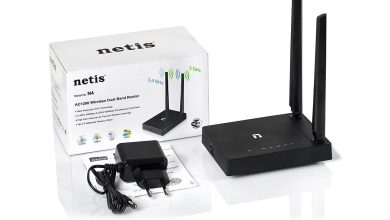 Перепрошивка роутера Netis N4 от Kyivstar под других провайдеров